BodyPark ATOM Review: ATOM improves hotel workouts when travelling and can teach even the most harden gym goer, a thing or two.
{Tech} for Travel
BodyPark ATOM Review
Sticking to a training routine while travelling is often harder than the workout itself. Hotel gyms vary wildly, from well-equipped spaces with racks and cable machines to a lonely treadmill beside a few light dumbbells.
A smartwatch or fitness tracker can log heart rate, calories and workout duration, but it cannot see whether a squat is deep enough or whether poor posture is creeping into a set. Recording exercises on a phone can help with later analysis. Still, it requires finding a safe camera position, fitting your whole body into the frame, and reviewing the footage after the moment of interest has passed.
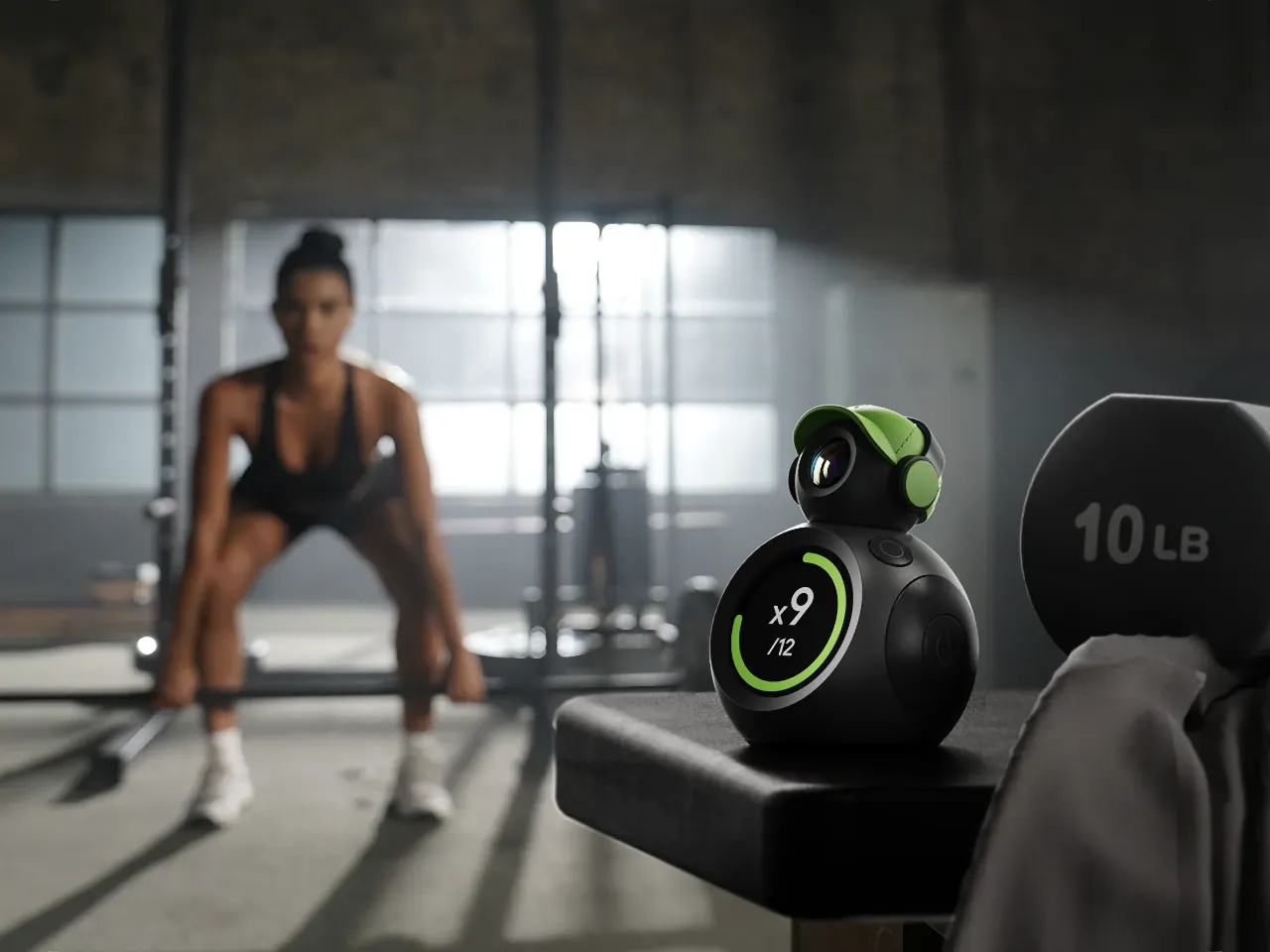
The BodyPark ATOM takes a different approach. This small, camera-based workout-tracking device captures movements in real time, counts repetitions, and provides spoken coaching during a session.
So I packed the BodyPark ATOM into my backpack for a recent 10-day trip to the US to see what all the hype was about.
Pros
- Accurate automatic rep counting
- Useful real-time form corrections
- Small and light enough for travel
- Simple setup in quieter hotel gyms
- Long battery life for multiple workouts
Cons
- Black finish blends into gym flooring
- Easy for other gym users to miss
- Less practical in crowded gyms
- Raised camera section looks vulnerable
- Needs clear space for full-body tracking
Features BodyPark ATOM Review
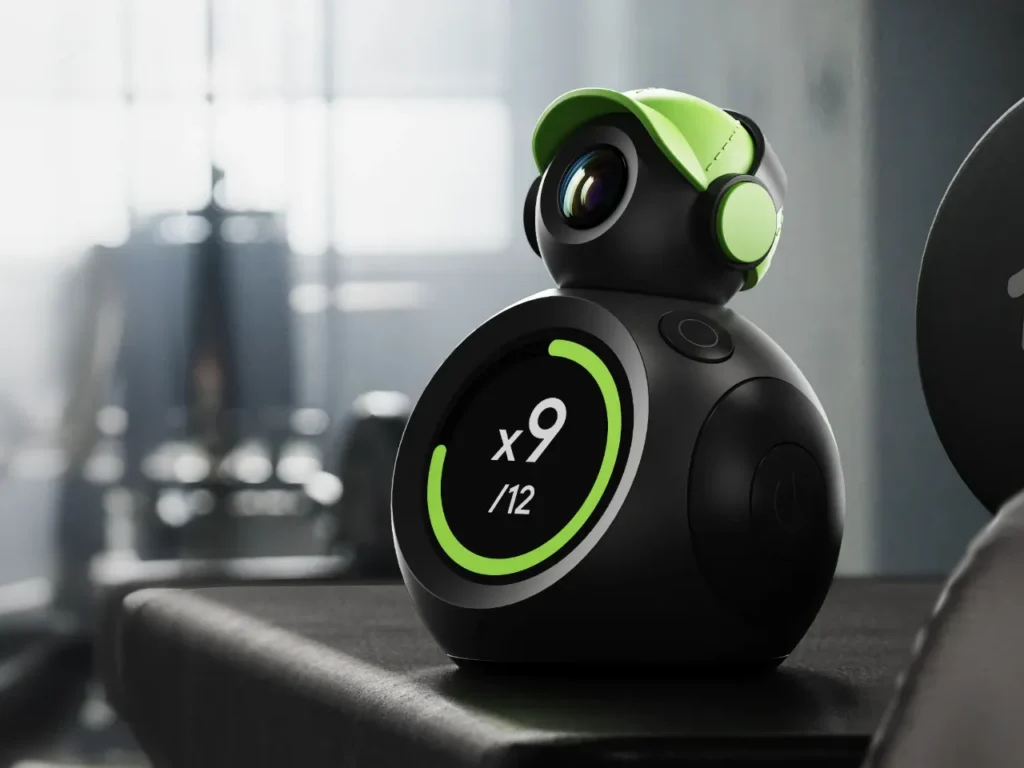
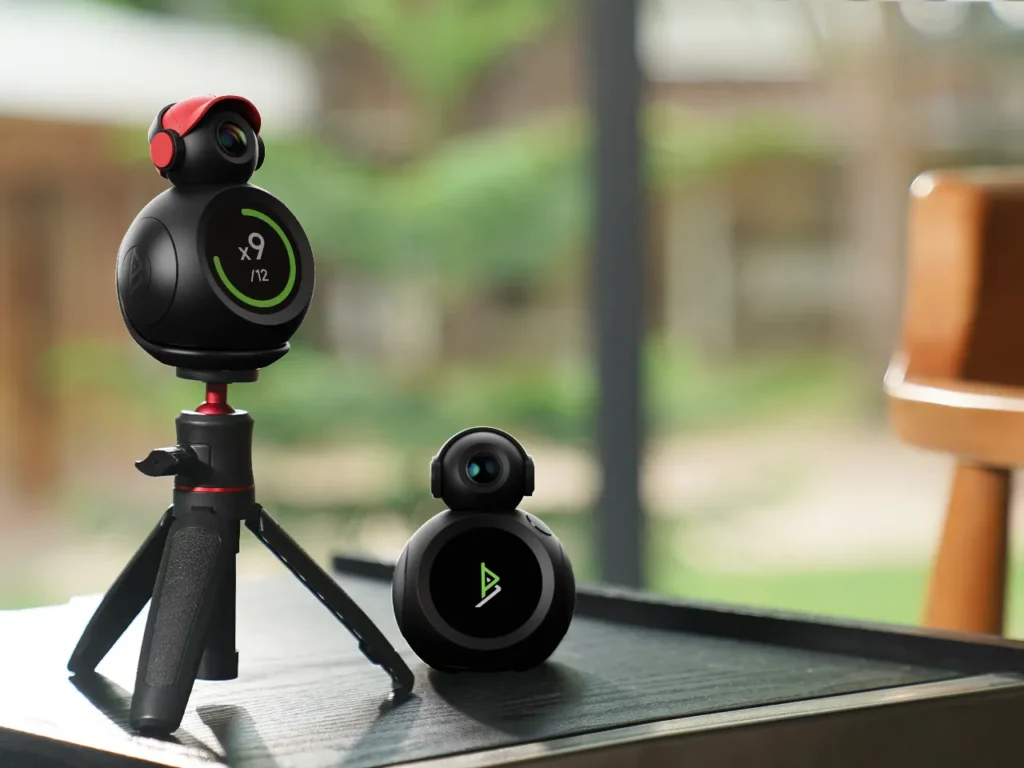
The BodyPark ATOM is a palm-sized AI fitness companion that uses a built-in camera and movement processing to recognise and analyse exercises. It does not need to be worn or attached to the body. ATOM can be placed on the floor, connected to a suitable metal surface through its magnetic mount or secured to a tripod.
Its camera has a 160-degree field of view and is designed to capture the user’s full body from approximately one to two metres away. BodyPark’s Smart Tilt and Follow system automatically adjusts the camera’s vertical angle between 5 and 40 degrees, allowing it to frame standing exercises and movements performed closer to the floor.
There is a physical cover, styled as a small pair of headphones, that can be moved across the lens when the camera is not in use.
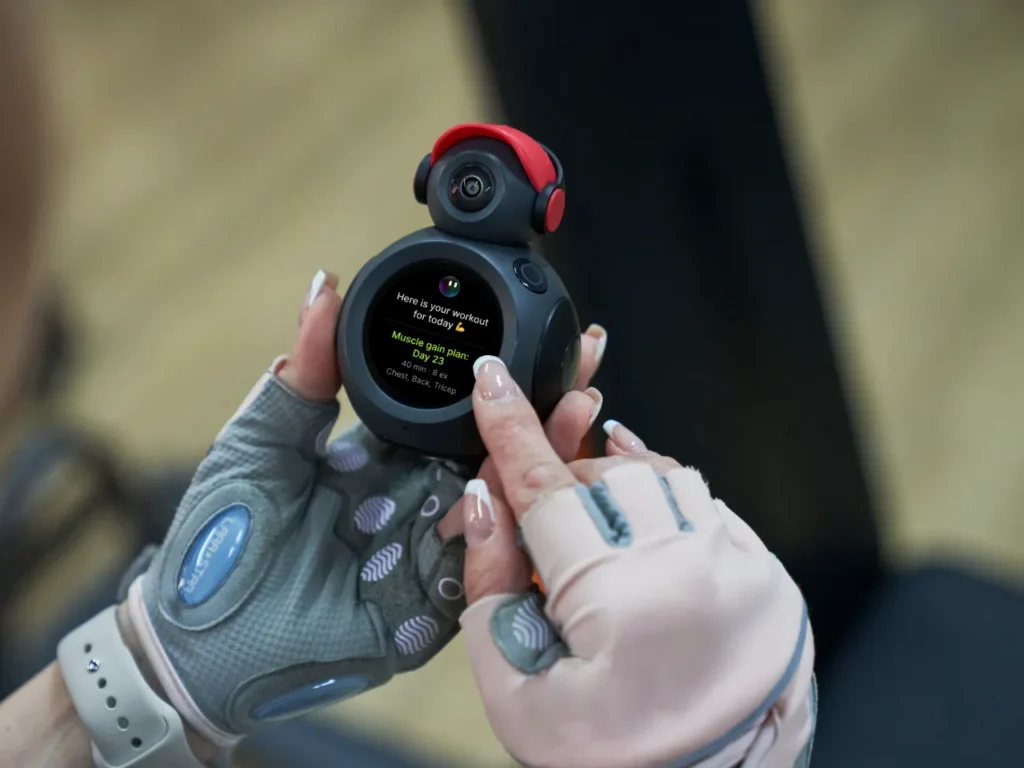
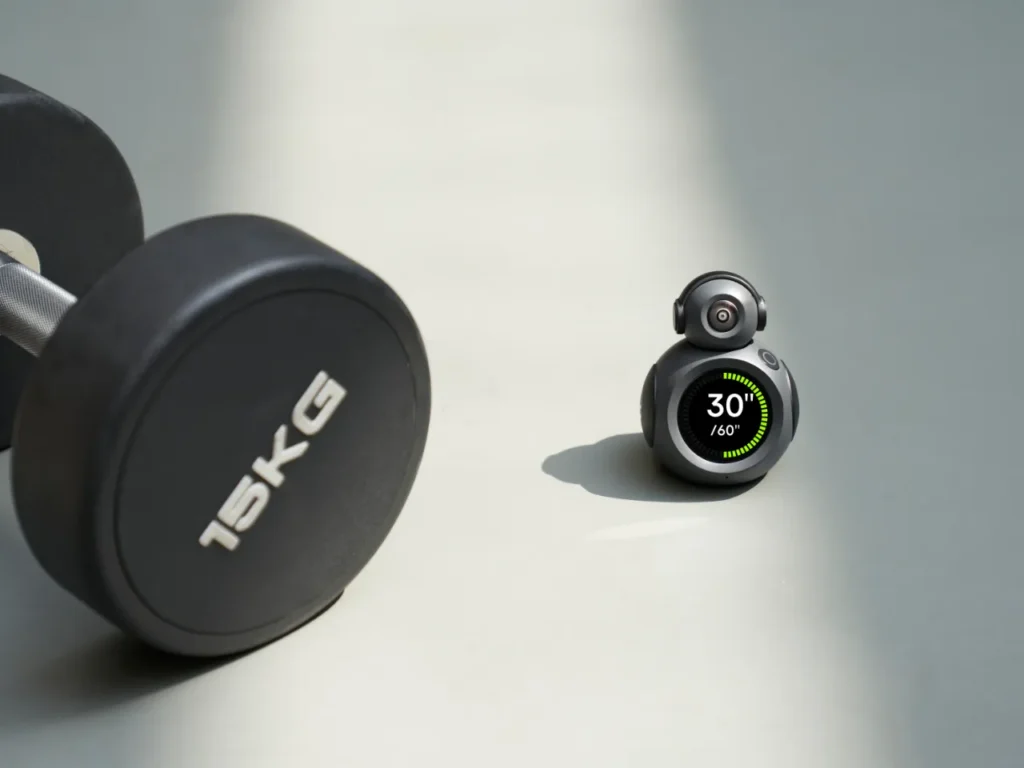
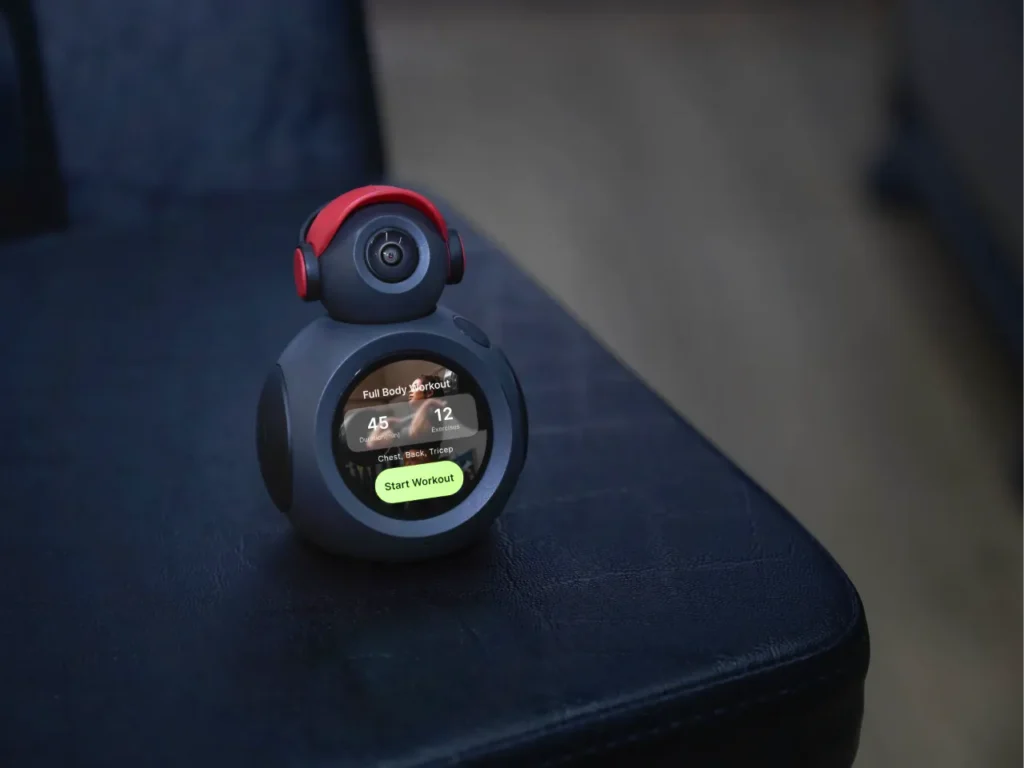
A 1.43-inch round AMOLED display presents repetitions, sets and workout progress. A built-in microphone supports voice input, while the 3W speaker delivers spoken-form corrections, rep counts, and workout guidance.
Initial setup is completed through the BodyPark ATOM app. The app pairs the device with the user’s account and provides access to synced workout information, reports and longer-term progress records. Bluetooth 5.3 handles pairing, while 2.4GHz Wi-Fi is used for data synchronisation and software updates.
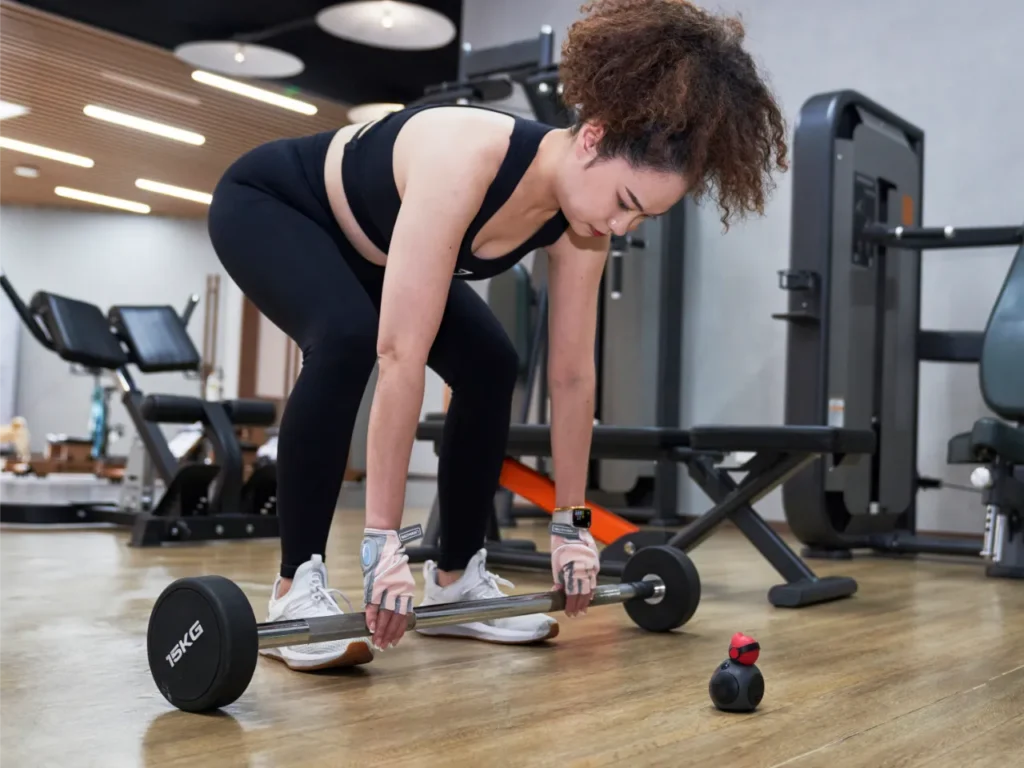
During training, BodyPark’s DeepBody motion engine maps more than 34 skeletal points across the body. These include joint markers and a dedicated lumbar point used to monitor the lower back curve and pelvic tilt.
The system assesses movement details including range of motion, alignment, depth and tempo. BodyPark states that its platform supports more than 1,000 exercises across strength, mobility, cardio and recovery categories.
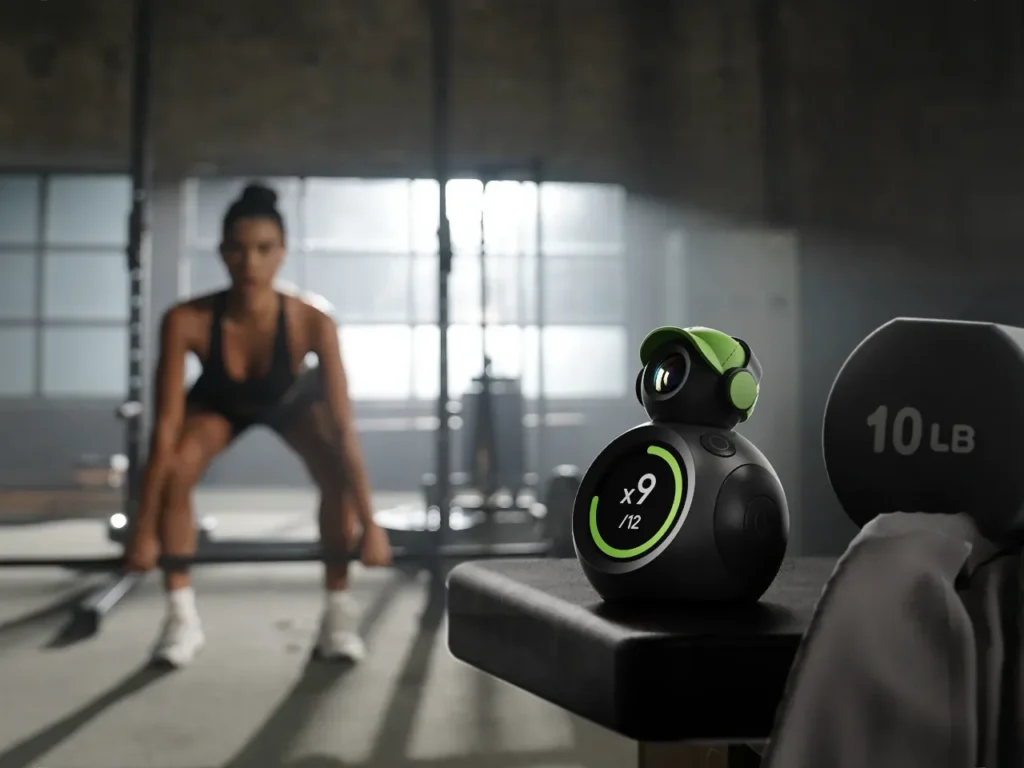
ATOM operates as an automatic rep counter for weight training once an exercise has been recognised. It records repetitions, sets and workout time without requiring a smartwatch or manual entry after each movement. Current totals and targets appear on the display, while voice cues can announce rep counts, pacing and rest information.
ATOM compares the detected movement with its exercise model and provides spoken feedback when it identifies an issue. Corrections can cover posture, movement depth, alignment or rhythm and may be delivered before the next repetition begins.
After training, ATOM produces reports covering the completed session and movement performance. Video playback allows individual exercises to be reviewed, while SmartPath analysis can display movement trajectories such as bar path and centre of gravity. Workout history and progress information can also be accessed through the BodyPark app.
The rechargeable battery provides up to seven hours of active AI training and charges through USB-C. Over-the-air updates allow BodyPark to add software functions, refine existing features and expand workout support without replacing the hardware.
Hands-on BodyPark ATOM Review
I took the BodyPark ATOM on a 10-day trip and used it during my gym sessions. Its size made it perfectly portable for me and will help travellers feel confident and prepared for workouts on the road, making it easier to stay consistent without extra hassle.
Whilst I’m increasingly a regular gym-goer back home, I don’t use a personal trainer or attend coach-led classes. Instead, I recall my previous gym sessions from when I was (much) younger, as well as some YouTube tutorials. Most of those workouts followed the weight-training routine I already use, built around dumbbells and barbells.
I was not looking for ATOM to replace my programme or to decide what I should train in. I wanted it to monitor exercises I already knew and provide useful feedback without adding too much setup time.
ATOM is small enough to drop into a backpack, carry-on, or gym bag, and I barely noticed it among my usual travel kit. While I was slightly concerned about the raised camera section at the top, which seems most likely to suffer damage if knocked or packed carelessly, it survived 10 days in my backpack and still looked and worked like new.
Before hitting the gym, a basic setup and pairing with a smartphone is required and was straightforward. The BodyPark app is packed with features and information, along with all the settings you need to get started.
I placed it on the floor slightly in front of me and off to one side, then manually tilted the camera up until it had a clear view of the exercise area.
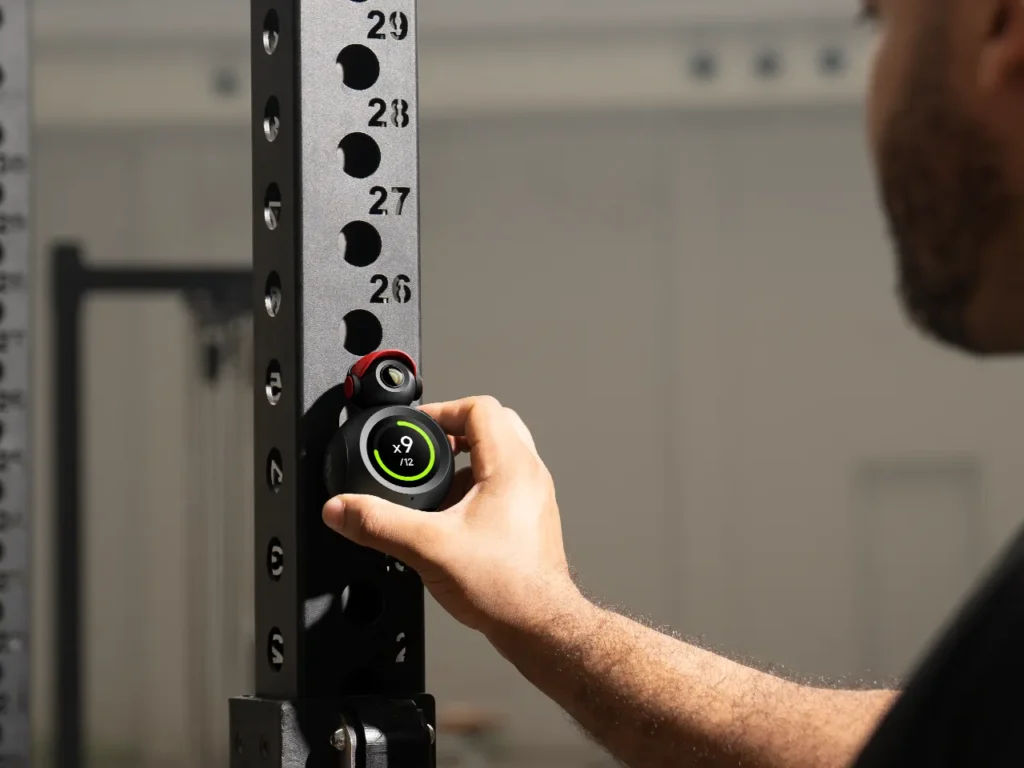
The camera ‘head’ pivots only vertically, so changing the viewing direction sideways requires moving the ATOM side-to-side. The wide field of view performed very well once I had set the vertical angle. It kept me in frame throughout my dumbbell and barbell exercises without needing constant adjustment.
The hotel gyms were generally empty, so there was plenty of space to position ATOM without blocking equipment or causing problems for anyone else.
A luxury not for those using normal subscription-based gyms!
Automatic rep counting was the first feature that made ATOM feel like it was really helping me out. It recognised my exercises and kept an accurate total throughout my workouts. I didn’t notice any missed repetitions or extra ones being added.
My lifting style is relatively slow and controlled, with each movement clearly defined, which likely gave the camera a clean view of every repetition. Faster or less consistent movements might provide a tougher test, but it worked reliably with the way I train.
Not needing to check my phone or smartwatch and instead just glancing over at the ATOM display quickly became my norm. It’s one of those gadgets that you will grow to love the more you use and learn from it.
The second feature I valued was the real-time form correction. ATOM monitored elements such as posture, movement depth, alignment and tempo while I trained. It identified occasions when my posture or positioning could be improved during dumbbell and barbell movements.
When I followed those prompts and corrected my posture, the exercise felt better and slightly harder—a good indication that I was cutting corners in my reps. The movement felt more controlled, and the target area appeared to be doing more of the work.
This is where ATOM offers something different from a smartwatch or conventional workout app. Those devices can record time, heart rate or calories, but they cannot see how a lift is being performed. ATOM monitors the movement and responds while the exercise is still underway.
I could easily hear the spoken feedback during my workout in the quiet hotel gym. However, in a crowded gym, background noise and conversations made the speaker much harder to hear.
Physical placement also became a problem in that busier environment. ATOM needs a clear view, so placing it directly beside a machine or hiding it behind equipment is not practical.
Its black finish blended into the dark gym floor a little too well, and I had to stop others from almost walking on it. It can connect magnetically to frames, which helps.
The BodyPark app is packed with workout tools, reports and training data. It is not an app I could open once and immediately understand in full. Getting the most from it will require regular use, particularly when reviewing workout history, movement information and longer-term progress.
This amount of information is useful, and the overall system feels more involved than a simple automatic rep counter, which is a good thing!
One annoyance is ATOM’s need for its own Wi-Fi connection. Keeping the app open on my phone was not enough, as the device still tried to connect to its own network. Setting this up through the app was straightforward, and using my phone as a hotspot worked without trouble.
However, for travellers, this extra step might be confusing or inconvenient, especially in unfamiliar networks. A more direct connection through the app would simplify setup during travel.
The membership structure is also frustrating. The Plus tier is included for the lifetime of the account, but the Pro plan costs $159 per year and adds the full AI feature set and advanced analytics.
Charging an annual fee to unlock the complete experience is difficult to accept on dedicated hardware, particularly when the app and AI tools are central to the product rather than optional extras.
Battery life was never a concern. I charged ATOM once during the trip, though it was more out of habit than necessity. Over six workouts, it never came close to interrupting a session or making me think about where I had packed the charging cable.
Final thoughts BodyPark ATOM Review
Regular readers will know that any dedicated hardware that then charges a subscription fee to unlock all of the advertised features rubs me up the wrong way. And, at $159 per year, you would want to make the most of the ATOM. If you spend most of your workouts in hotel gyms or out of hours at a 24-hour gym, you will benefit most from the ATOM and the subscription fee.
In quiet hotel gyms, it makes a lot of sense. It is small enough to pack without thinking, quick to place on the floor, and useful for almost any gym session where automatic rep counting and real-time form correction are important.
Those two features are what I enjoyed most about using it. I could focus on the movement rather than counting reps, and when ATOM prompted me to adjust my posture, the exercise felt better as a result.
However, ATOM is not without a few minor annoyances. The need for its own Wi-Fi connection feels unnecessary when the app and device are already paired; the black finish can disappear into dark gym flooring, and crowded gyms make placement more awkward than it needs to be.
The app is powerful, but it will take regular use to get the most out of it, and the paid Pro plan is frustrating because some of the smartest features are behind an annual fee.
But, despite the annual fee, ATOM has earned its place in my travel bag. Hotel gyms are often lonely cold places and I enjoyed using ATOM while i had the gym to myself.
And as most of my workouts are currently while I am travelling, having ATOM with me and its Pro plan activated pushes me to make the most of it!
Specifications BodyPark ATOM Review
| Features | BodyPark ATOM |
|---|---|
| Dimensions | 90x71x60mm |
| Weight | 155g |
| Colour Options | Black |
| Camera |
1/2.8-inch CMOS Sensor RGB Camera Up to 720P Capture |
| Display | 1.43-inch Full Round AMOLED |
| Main Features |
Microphone 3W Speaker Physical Privacy Mask Magnetic Mounting Tripod Compatible Gyroscope Over-The-Air Updates via Wi-Fi |
| Workout Features |
Real-Time Voice Form Correction Automatic Rep Counting Automatic Set Counting Workout Planning and Guidance Post-Workout Insights Movement Quality Scoring SmartPath Motion Trajectory Analysis HD Video Playback Slow-Motion Review 1,000+ Exercises Recognised 2,400+ Motion Dictionary Entries 34+ Skeletal Keypoints Proprietary Lumbar Keypoint |
| Charging | USB-C |
| Connectivity |
Bluetooth 5.3 Wi-Fi 802.11 |
| In the Box | BodyPark ATOM 1-Month Pro Membership Lifetime Plus Membership |
| Website | atom.bodypark.fit |
Price & availability BodyPark ATOM Review
BodyPark ATOM pricing starts at $249/£229, with bundles rising to $299/£279.
The Plus plan is included with the device, while the Pro plan costs $159/£120 per year and unlocks the full AI feature set and advanced analytics.
ATOM is available through BodyPark’s official store and Kickstarter page.
Frequently Asked Questions
BodyPark ATOM is a palm-sized AI fitness companion that uses a built-in camera to track exercises, count reps and provide spoken form feedback during workouts.
It uses camera-based motion tracking and BodyPark’s DeepBody system to analyse movement, including posture, alignment, depth and tempo.
Yes. Once it recognises an exercise, ATOM can count repetitions and sets without a smartwatch, wearable sensor or manual input.
Yes. ATOM can provide real-time voice feedback when it detects movement issues such as poor posture, limited range or uneven tempo.
Yes. It works well in quieter hotel gyms where there is enough clear floor space and the camera has an unobstructed view of the user.
Yes. ATOM needs its own Wi-Fi connection for syncing and software updates. It supports 2.4GHz Wi-Fi, but not 5GHz or captive portal networks.
Yes. A phone hotspot can be used when hotel Wi-Fi is unsuitable, although it adds an extra setup step when travelling.
ATOM weighs 155g and is small enough to carry in a backpack or hand luggage, making it practical for travel workouts.
The Plus plan is included with the device. The Pro plan costs $159.99 per year and unlocks the full AI feature set and advanced analytics.
It is best suited to travellers, home trainers and self-directed gym users who want automatic rep counting, form feedback and more structure during strength workouts.